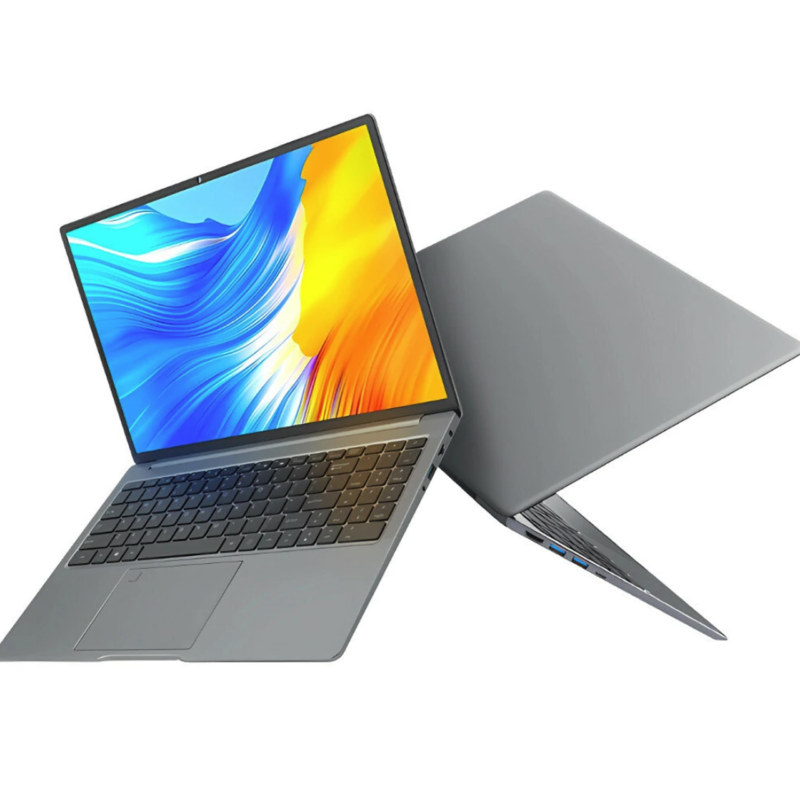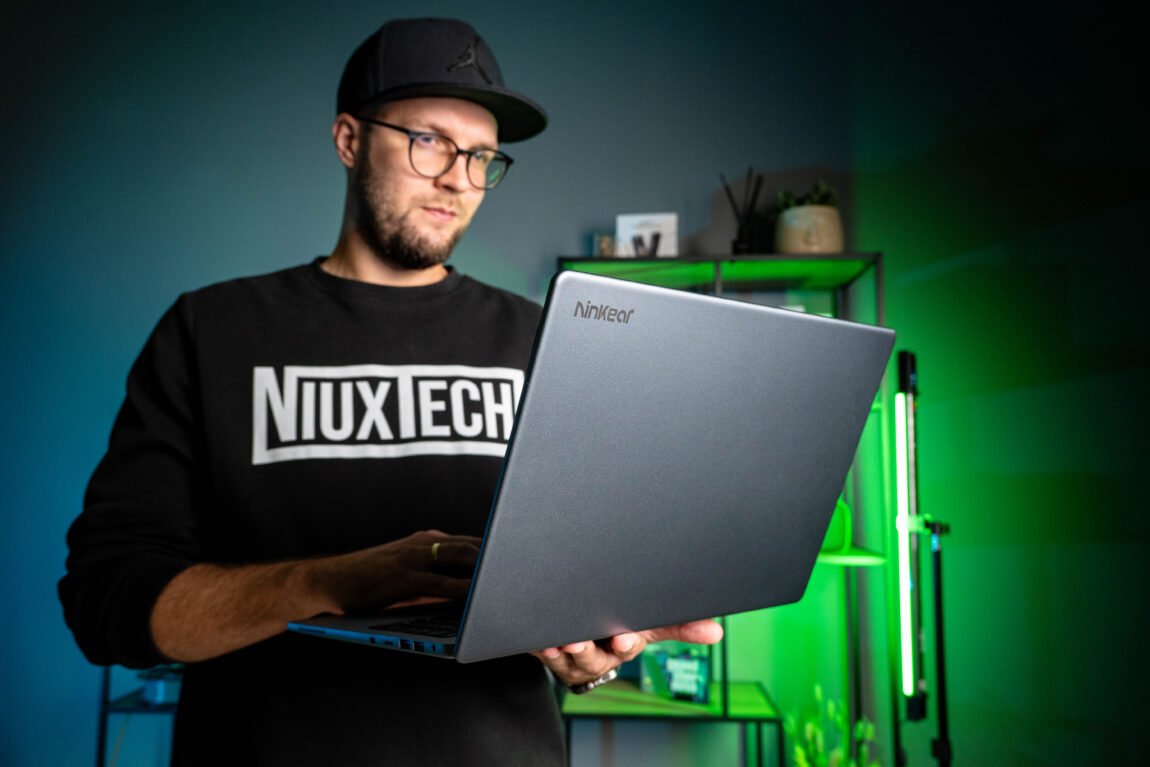
2 years ago I had a chance to review the Ninkear N16 Pro, and today I have an updated version of it in front of me. Although the name remains the same, there are certainly no shortage of changes inside. This time, the computer is based on the Intel Core Ultra 5 125H, 24 GB of LPDDR5 RAM and 1 TB SSD. For about 600 euros, such a configuration looks really good, especially considering that we are getting a laptop with a 16-inch, 120 Hz screen. So, what did Ninkear manage to update, what was abandoned and is the new N16 Pro really a step forward? Let's take a look.
Ninkear N16 Pro
Assessment:
What did we like?
What didn't we like?
Specifications
Since the model name hasn't changed for a couple of years, there are several different versions of the Ninkear N16 Pro on the market. The specifications of the model I tested:
Processor: Intel Core Ultra 5 125H (14 cores / 18 threads / integrated NPU)
Video card: Intel Arc Graphics (7 Xe cores)
RAM: 24 GB LPDDR5-5600 (soldered, no expansion)
SSD: 1 TB M.2 SATA III SSD (WXG51T0D1ST)
Ecrane: 16", IPS, 2560 × 1600 (QHD+), 120 Hz
Battery: 79.8Wh (7000mAh, 11.4V)
Memory cards: MicroSD/TF
Connectors and more: 3x USB 3.0, 2x USB-C, HDMI, MicroSD, 3.5 mm audio, Fingerprint sensor
Unpacking
You can see the entire unboxing process in the video below. In short – there is no revolution here, the package is practically identical to the one we received two years ago. In the box we found a 65 W charger, keyboard stickers, a wired mouse and a small mat. The latter two accessories seem to me more like „accessory for the sake of accessory“ – their quality is poor, so both of them quickly end up in a drawer.
Assembly quality
There are few changes on the outside. The upper and lower parts of the case are made of aluminum alloy, and plastic is used around the keyboard. Nothing exceptional, but nothing bad either - the computer feels solid in the hand, nothing creaks, and the screen opening mechanism works stably. The N16 Pro does not create a premium impression, but the assembly quality is certainly not inferior to the previous generation.
One of the more noticeable changes is the much larger touchpad. This time, it also integrates a fingerprint sensor, ensuring fast and convenient login via Windows Hello. The touchpad itself works accurately, but when using the computer on your lap, the front edge of the case near the wrists appeared to be quite sharp. This starts to bother you when typing for a long time, although this problem disappears when working at a desk.
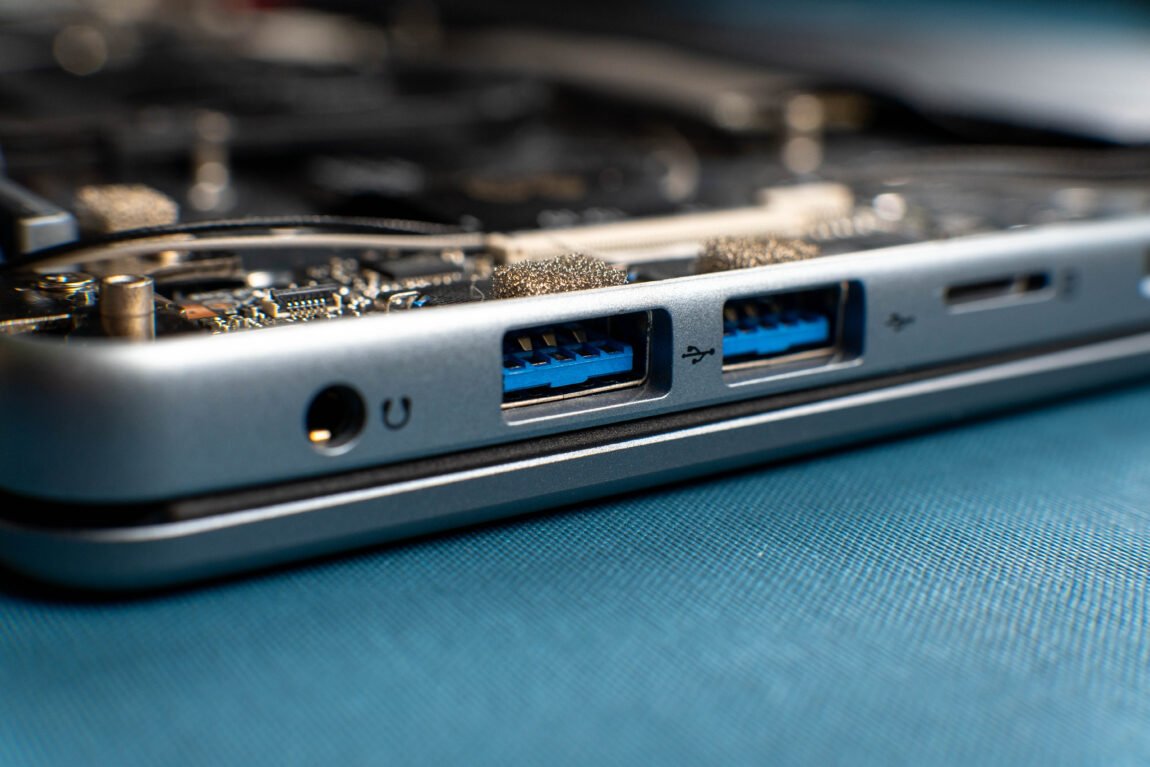
The layout of the ports has also changed slightly. There are 3 x USB 3.0, 2 x USB-C, HDMI, a MicroSD card reader and a 3.5mm headphone jack. Compared to the previous generation, the RJ45 connector has disappeared, and a MicroSD slot has appeared in its place. Personally, I would have preferred the RJ45 to the MicroSD slot.
Overall, Ninkear hasn't really messed up anything here. The body remains solid, and the minor design tweaks (tidyer port markings, a less noticeable camera module) look neat. However, the most serious changes lie deeper.
Performance and speed
The heart of the new N16 Pro is the Intel Core Ultra 5 125H. Compared to the Core i7-13700H tested two years ago, the processor speed is slightly lower - this is confirmed by the same tests that I used in the previous review. The Cinebench score dropped from 98 to 83 points, and PCMark - from 5459 to 4877. However, the new processor is characterized by better energy efficiency - according to CPU Mark data, the old i7 can consume up to 47% more energy.
The most striking leap here is the integrated Intel Arc graphics. Compared to the Intel Iris Xe in the old model, the graphics performance, at least on paper, almost doubles. In practice, the difference is also felt - the new N16 Pro allows you to play games like CS2 or GTA V in 1080p resolution and high settings, but more on that later. The newer graphics also proved superior when connecting an external monitor - with the same monitor, where the previous generation N16 Pro could only reach 1440p resolution at 60 Hz via HDMI, the new model already allows you to use 1440p and 120 Hz. 4K resolution is achieved at 60 Hz, but here it seems that I relied on the capabilities of the monitor itself.
As for RAM, the Ninkear N16 Pro achieved 58.6 GB/s read, 65.3 GB/s write, and 71.7 GB/s copy speeds in the AIDA64 test. Although the capacity has decreased from 32 GB DDR4 to 24 GB LPDDR5, the new memory has a significantly higher speed. However, it will not be possible to expand it later, so here 24 GB is both the current and final RAM capacity.
Since I have to work with videos, I tested the N16 Pro with DaVinci Resolve. With more complex effects and high resolution, there is a lack of smoothness here - the integrated graphics and processor are not designed for more serious video editing. However, it is certainly possible to edit and cook simpler Full HD videos, so occasionally doing such work on this computer will not cause any problems.
The biggest surprise and compromise is the SSD drive. After disassembling the computer and looking inside, I was surprised to see that an M.2 SATA III interface drive (WXG51T0D1ST) was used here. Due to the limitations of the SATA interface, both write and read speeds reach about 500-550 MB/s - which is about 5 times slower than the NVMe SSD used in the previous generation model. Although the SATA interface itself is used practically to the maximum here, the manufacturer's decision to choose this standard seems strange at first glance.
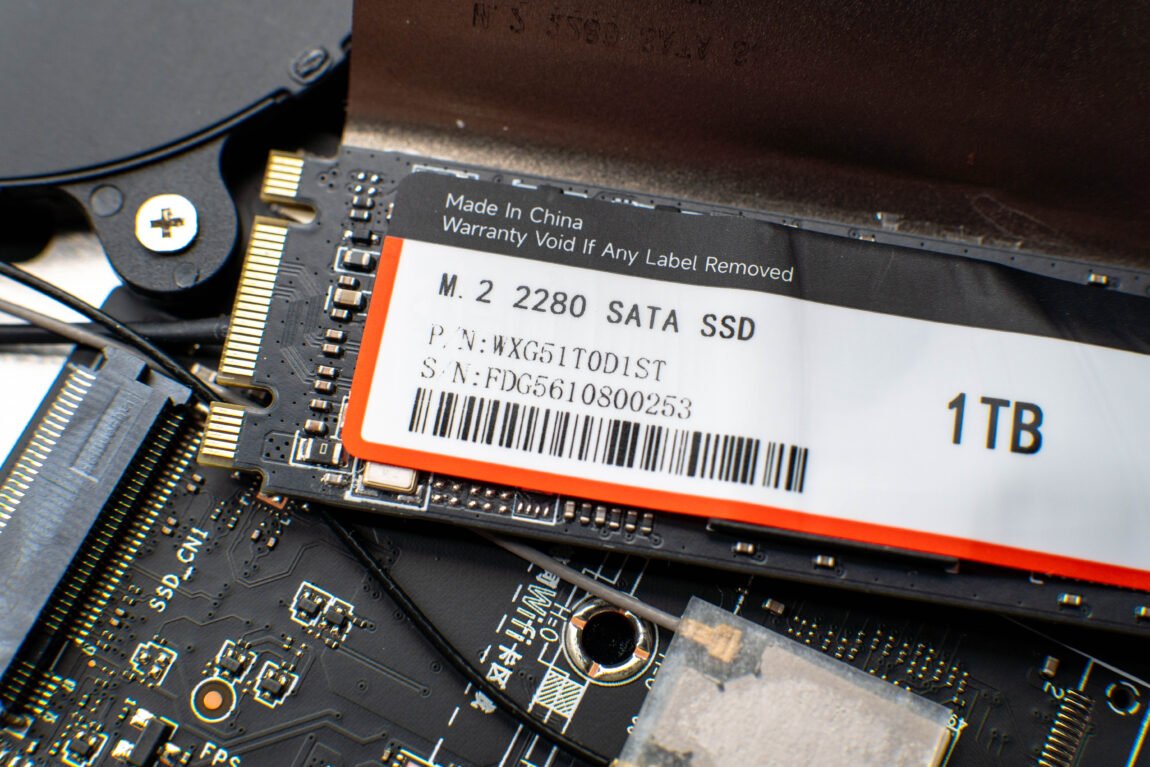
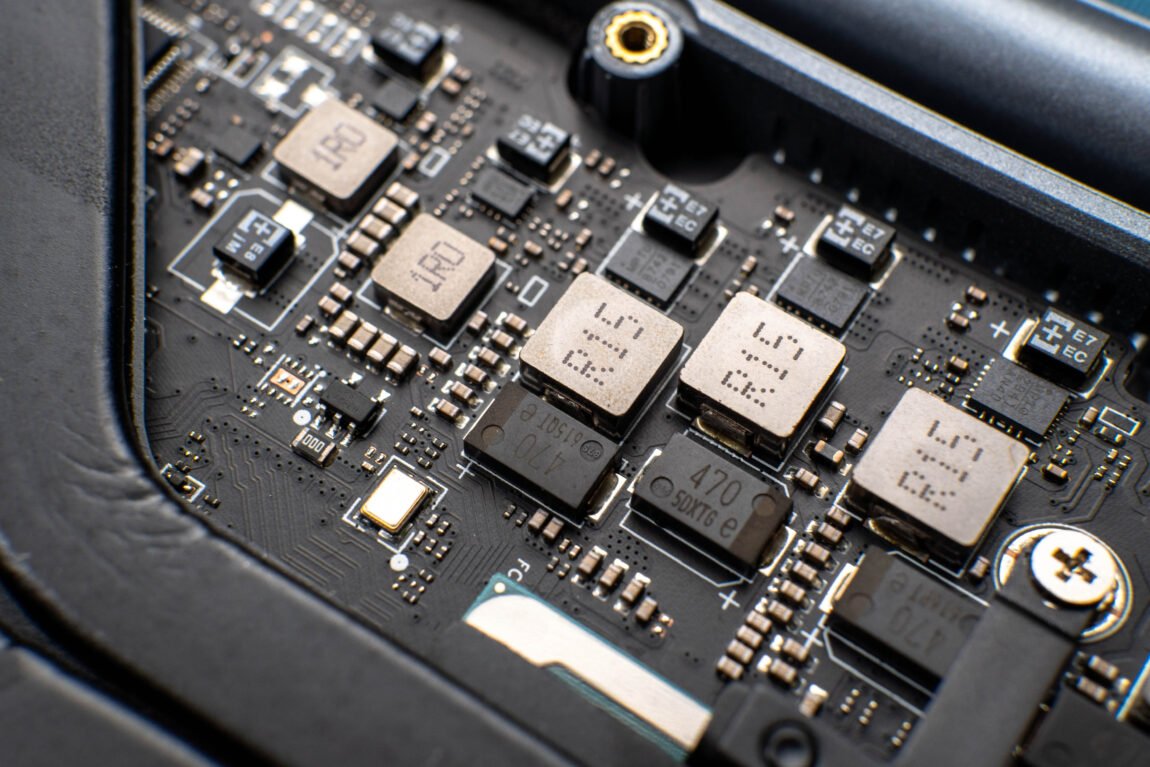
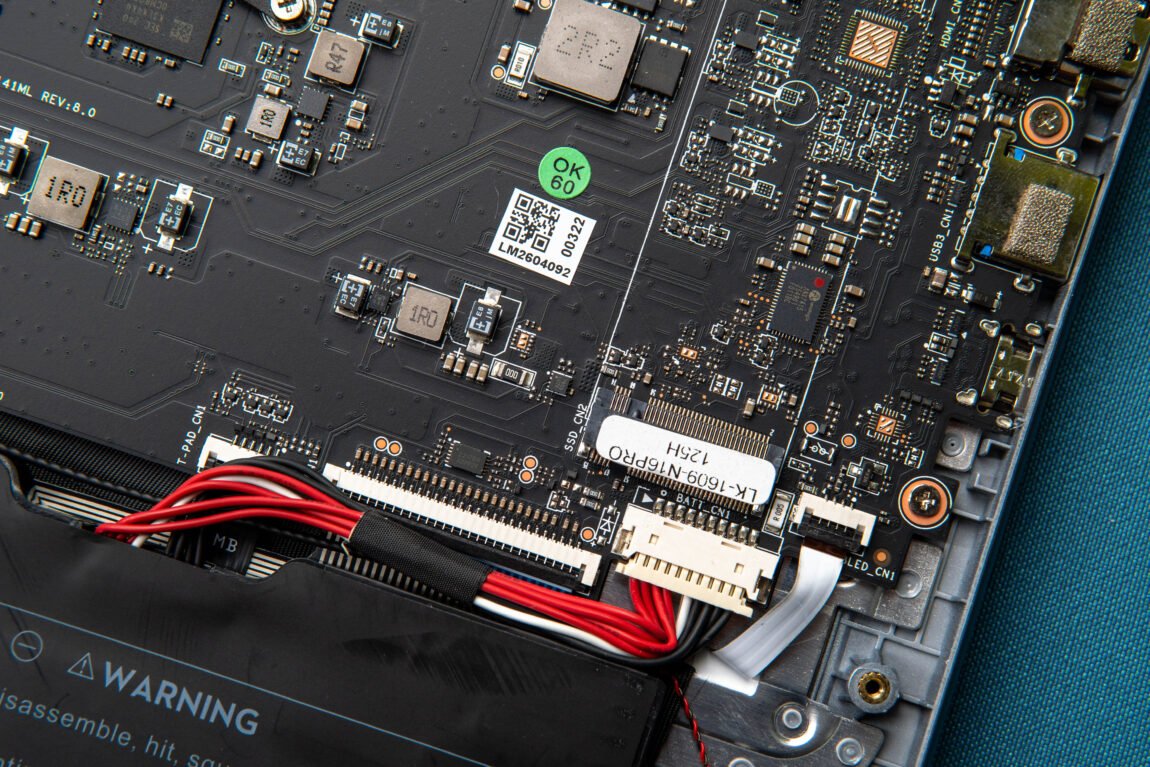
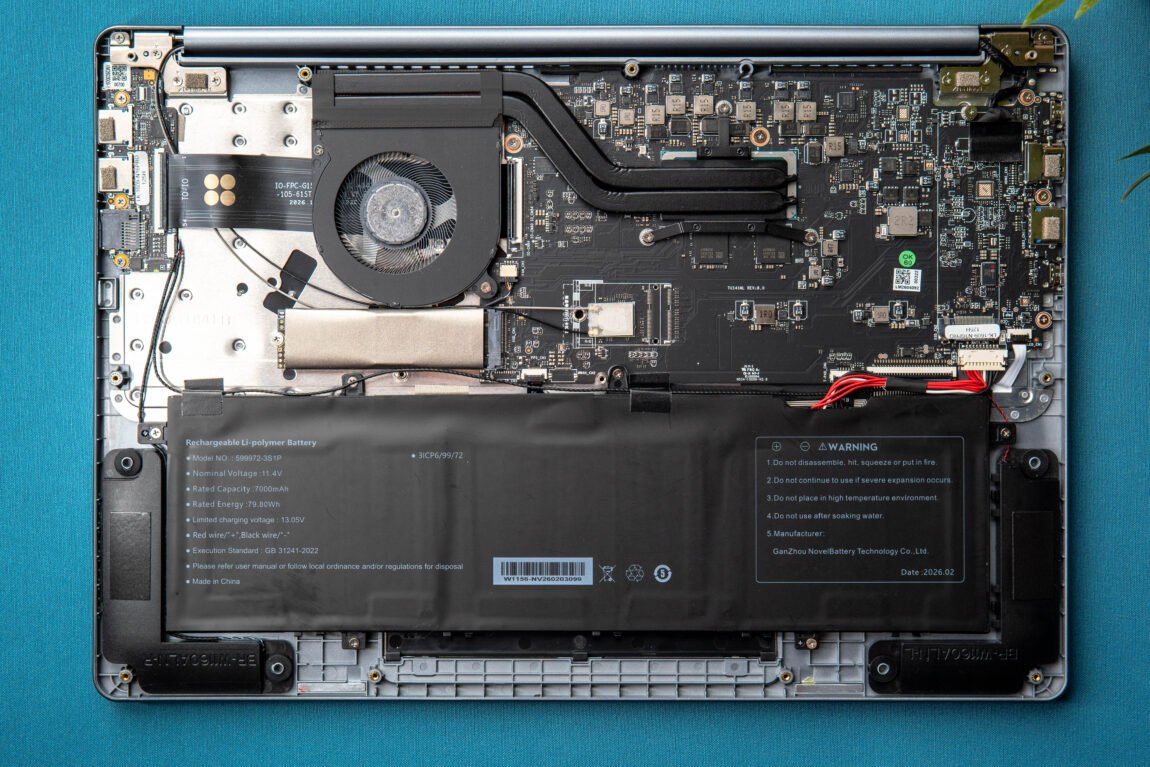
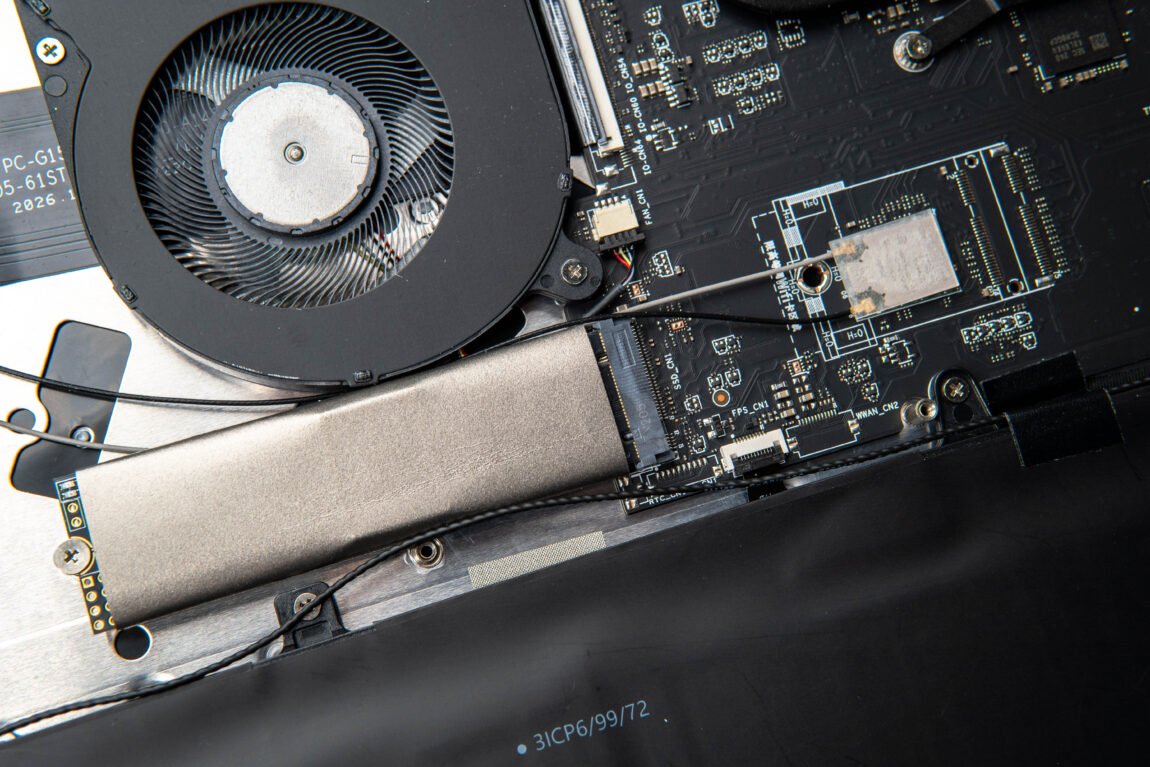
However, the reason here may be quite simple - the desire to maintain a competitive price of ~600 €. SSD and RAM prices are currently not low, and Intel Core Ultra 5 125H is also not the cheapest option. Therefore, it was still necessary to save somewhere - in this case, a slower, but cheaper SATA SSD was chosen. RAM memory, although unchanged in size, was left faster and is an advantage for the integrated Intel Arc graphics.
Screen
The situation with the screen is a bit more interesting, because here Ninkear basically does not change anything radically. As in the previous generation, we get a 16-inch IPS matrix with a resolution of 2560 × 1600 pixels and an aspect ratio of 16:10. This format still seems very suitable for work to me - there is more vertical space here than on conventional 16:9 screens, and the 2560 × 1600 resolution on a 16-inch diagonal provides a very sharp image.
One change, however, is that the maximum refresh rate has been reduced from 165Hz to 120Hz. At first glance, this seems like a step back, but in everyday use, the difference isn't that big. 120Hz still provides a very smooth display, and when browsing the web, scrolling through documents, or just using Windows, the switch from the usual 60Hz feels much more noticeable than the difference between 120 and 165Hz.
The display itself remains one of the more pleasing aspects of this computer. Colors look rich, text and fine details are sharp, and the matte finish helps reduce reflections. Of course, this is not a display designed for professional color work, but for everyday work, movies, photos, or games, it is more than enough.
Games
Like the previous generation, this one is not a gaming computer. Nevertheless, I simply had to test the same games, using exactly the same settings, in order to be able to directly compare the results. So, let's start with Counter-Strike 2. Here the new N16 Pro already shows a very obvious difference - with the same settings I get about 90-120 FPS, while the old version reached 55-70 FPS.
The situation is very similar in Age of Empires III: Definitive Edition. Using the same settings that kept the previous generation N16 Pro around 60 FPS, the new model stably maintains around 90 FPS. This pretty clearly shows that the new Intel Arc graphics are better not only on paper - their advantage is clearly felt.
With Grand Theft Auto V, the first result was a bit unexpected - with the same settings, the computer showed only 48 FPS. However, after a few tests, I noticed that when I switched VSync from Half to Off, the result jumped to around 90-120 FPS.
Battery
The new N16 Pro has a much larger battery than the previous generation - instead of 57.75 Wh, it has 79.8 Wh. In the first test, the % computer lasted 3 hours and 43 minutes from 100 to 0. I spent about 30 minutes of this time playing GTA V, and the rest of the time I used the browser and watched videos. The second time I used the computer in a much lighter mode - YouTube, and surfing the Internet. Here the battery lasted 5 hours and 41 minutes, in balanced mode.
For comparison, the previous-generation N16 Pro lasted 4 hours and 28 minutes in my test with a 57.75 Wh battery. True, the testing conditions were not identical, so these results should not be directly compared, but the larger battery and more efficient Core Ultra 5 125H certainly allow us to expect better endurance in light tasks. The 5 hours and 41 minutes obtained in my second test is a pretty good example of this.
Charging, unfortunately, is not so impressive. The included 65 W charger charges the % battery from 0 to 100 in about 3 hours 15 minutes, and after 1 hour 30 minutes only about 45 % is reached. This is practically identical to the previous generation, which reached 46 % in the same time, so I missed fast charging here.
What could be better?
While the N16 Pro has many strong points, it is not without compromises. The most annoying thing was the noise of the fans during charging - even when the computer is practically not doing anything, the cooling system can start to hum quite loudly, as if the computer is heavily loaded and heating up. According to my measurements, the computer uses an average of about 50 W from the mains during charging, and up to about 30 W when turned off.
Another problem that has remained since the previous generation is the sound. The N16 Pro's speakers are definitely not its strong point - even my phone's speakers can play much louder. The fingerprint sensor also doesn't always recognize a finger on the first try, although when it does, logging in via Windows Hello is convenient. On the other hand, it's nice that even under heavy load the case doesn't heat up so much that it would be uncomfortable to hold the computer on your lap.
Verdict
After a few weeks with the new Ninkear N16 Pro, I can say that it is a pretty interesting update to the previous generation. The manufacturer did not try to simply put in a newer processor and leave everything else as it was - a number of important things have changed. The Core Ultra 5 125H is not faster than the previous i7-13700H, but the efficiency is better, and the integrated Intel Arc graphics in games show a very clear advantage over the old Iris Xe. When you add faster LPDDR5 memory, a 120 Hz 16:10 display and a significantly larger battery, it remains a really successful combination for everyday use.
However, the update also has a few strange solutions. The biggest of them is the M.2 SATA SSD, which looks a bit unusual in today's computer, especially when the previous generation model had a NVMe drive that was several times faster. The RAM is also no longer expandable, the RJ45 connector is gone, and the speakers remain as poor as ever. All this is compounded by the fans spinning quite loudly during charging, although the computer itself remains pleasantly cool even under load.
For around 600 euros, the Ninkear N16 Pro seems worth considering to me, especially if a large and high-quality screen, good everyday speed and the ability to play occasionally are most important. This is not a computer for serious gaming or professional video editing, but for work, studies, browsing, content consumption and even simple games, its capabilities are beyond the pale. Compared to the N16 Pro tested two years ago, this model is not unequivocally better, but the overall package has become more modern - and that is why I would rate the new N16 Pro quite positively.