If someone said the word computer, you would probably, like me, imagine a desktop or laptop. However, there is another, much less popular category - minicomputers. Small and low-power devices can do much more than they seem at first glance. They can be used not only for everyday work and surfing the Internet, but also as a home server, private cloud storage, media center or retro game emulator. Various projects do not require a powerful computer, and low power consumption is only an advantage here.
Ninkear MBOX18
Assessment:
What did we like?
What didn't we like?
Today I have in my hands the Ninkear MBOX18. It is a mini computer with an Intel Core 3 304 processor, 12 GB of RAM and a 512 GB SSD. Is its power enough to replace a regular computer for everyday tasks? Or can such a little thing offer more than just browsing the Internet? Let's see what this computer is capable of.
Unpacking
When I picked up the box, I wouldn't even suspect that it contained a full-fledged computer. Inside, I found the computer itself, a power supply, a mounting adapter, and an HDMI cable. You can see the entire unpacking process in the video below.
Design and connections
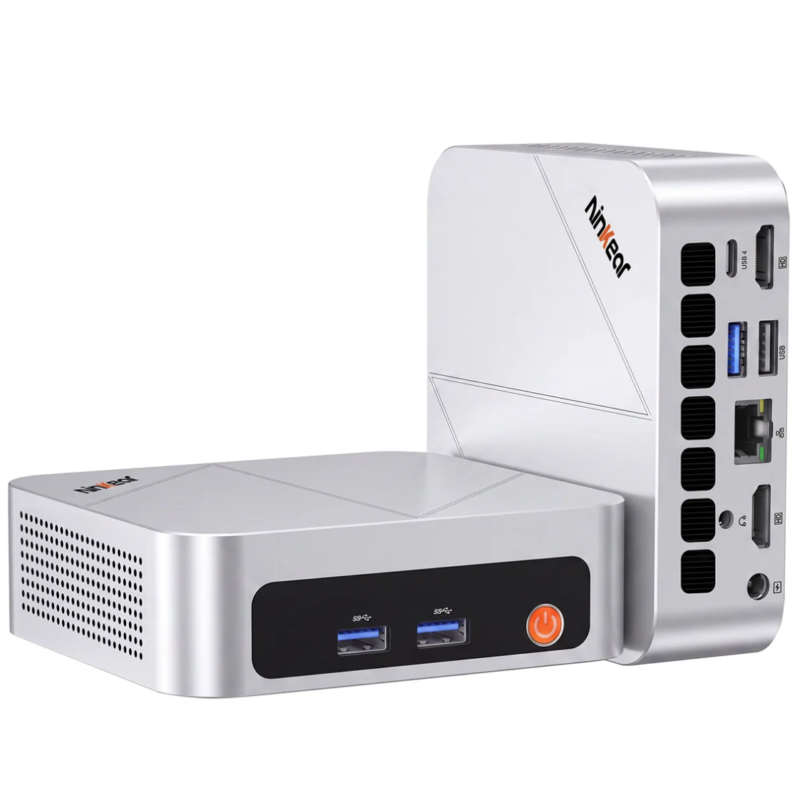
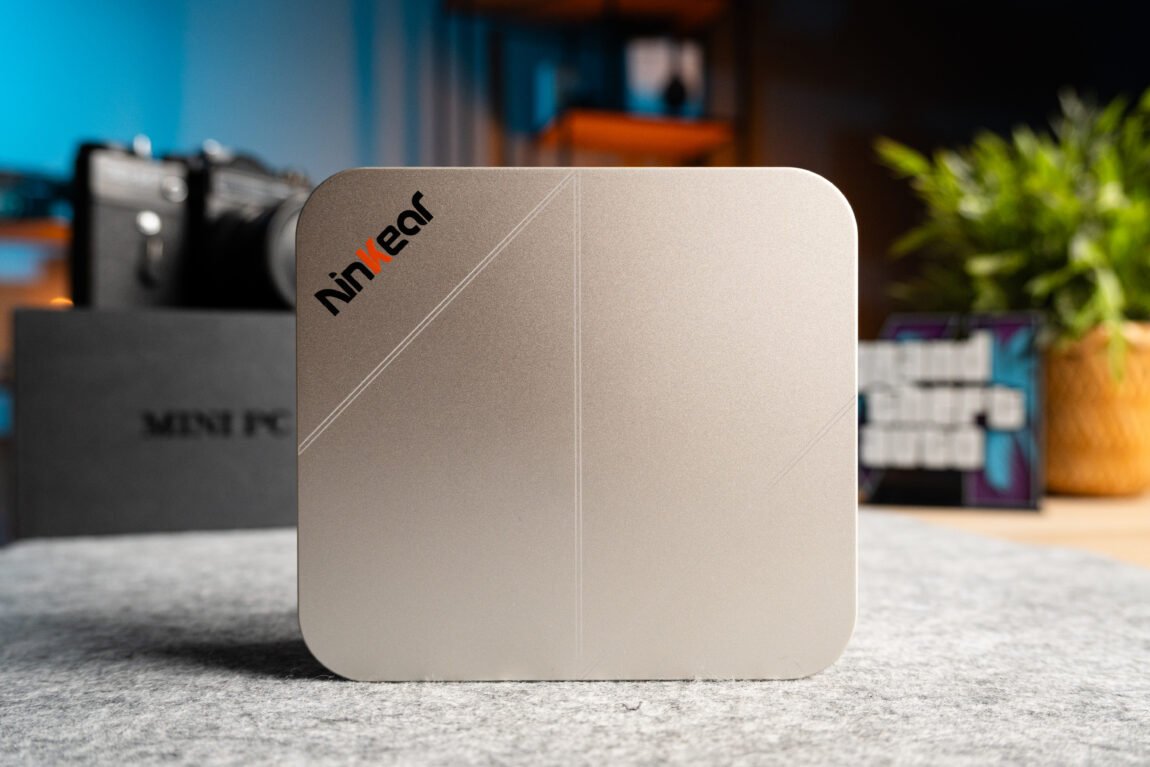
Measuring just 116 × 107 × 36 mm, the Ninkear MBOX18 takes up very little space. The aluminum body, although you won't have to touch it often, gives the device a solid and quality feel. If you don't want to keep such a little thing on the table, you can attach it to the back of the monitor. The included adapter allows you to use the monitor's VESA mounting points.
The front has a power button and two USB 3.2 ports. There are cooling grilles on both sides, and on the back there are two HDMI, LAN, 3.5mm headphone jack, USB 3.2, USB 2.0, and USB-C 4.0 ports. This selection is sufficient for everyday use, but more USB-C ports would be nice.
Overall, the Ninkear MBOX18 looks solid. The case is sturdy, and the weight of almost half a kilogram further enhances the impression of a quality-made device. Personally, the only thing that bothers me is the black strip on the front - without it, the computer would look extremely minimalist. And what's inside?
Specifications
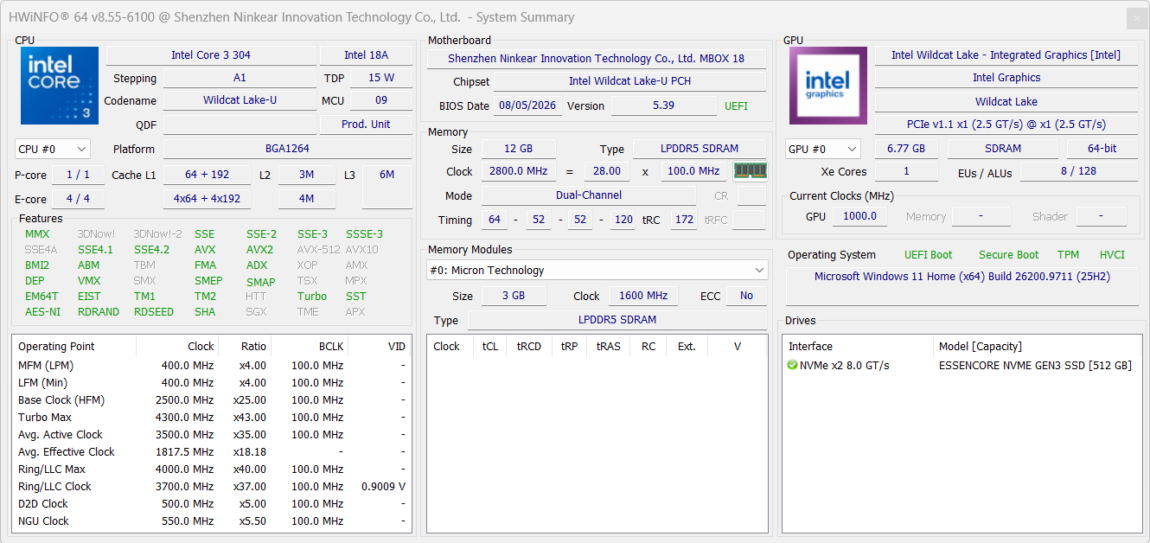
The Intel Core 3 304 is a five-core, five-thread processor with a frequency of up to 4.3 GHz. Of the five cores, only one is a high-performance one, while the remaining four are efficient ones designed for less demanding tasks. In practice, this power should be enough for surfing the Internet, working with documents, watching videos, and running several programs simultaneously. However, when performing more complex calculations or exporting videos, the processor's performance may become a limiting factor. This is a processor focused on everyday work, not on high-performance tasks.
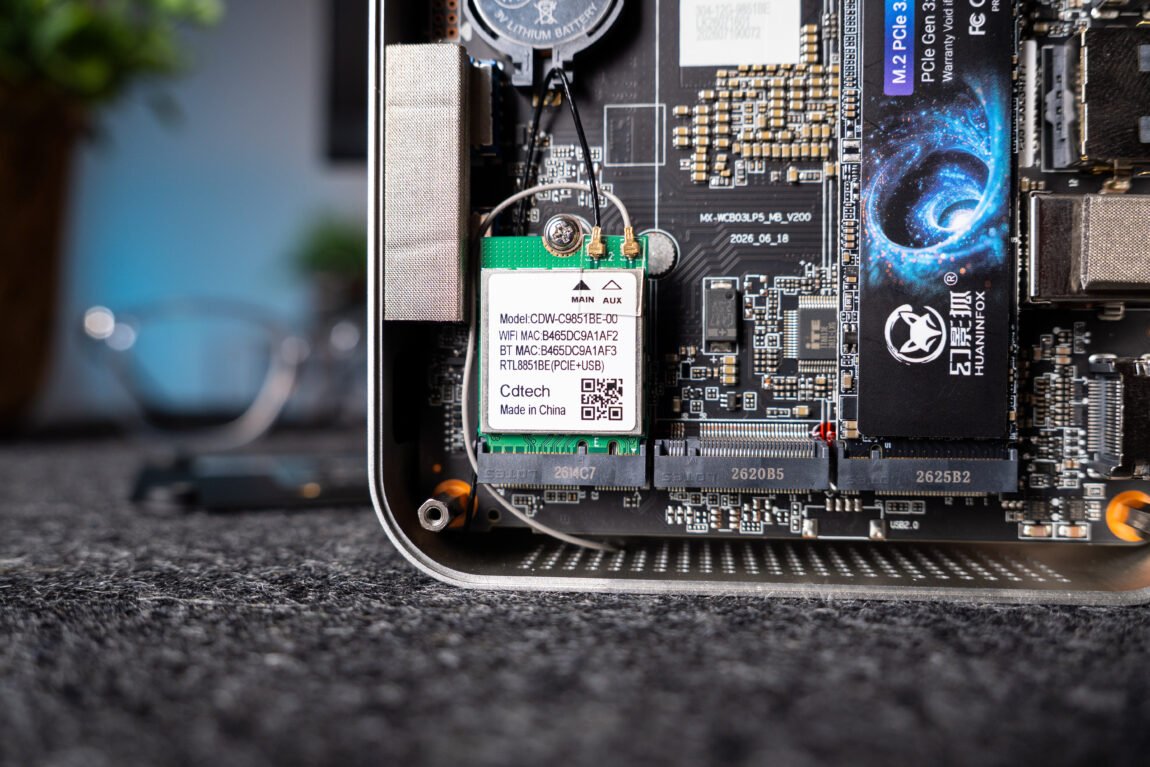
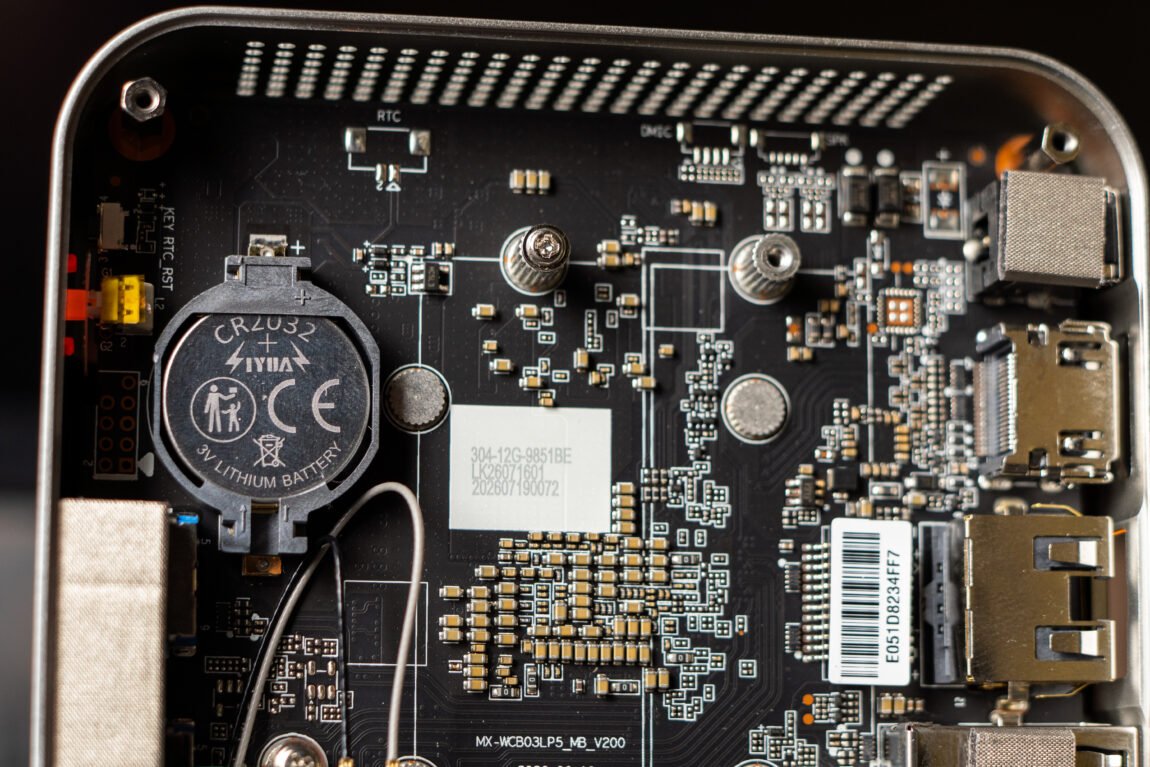
The Ninkear MBOX18 uses 12 GB of LPDDR5x RAM, which we've already seen in the Ninkear N16 Pro. It's fast, but it has a major drawback: the memory is soldered to the motherboard, so it can't be upgraded later. There's a 512 GB M.2 SSD for storage, and there's also space for a second drive inside, so you can expand the capacity if needed.
Intel's integrated graphics with a single Xe core don't seem promising at first glance. It's certainly enough for everyday tasks and video, but the most interesting thing is to check how this little guy performs in games. More on that soon.
Performance in everyday tasks
Let's start the tests with what this computer is intended for - everyday use. Everything works smoothly in the browser, even with many tabs open at the same time. There are no problems when watching videos. I tested a 4K resolution HEVC format movie, the average video bit rate of which is 24.8 Mb/s, and the color depth is 10 bits. Even such a video was played by the computer without any glitches, and when connected to a 4K resolution, 60 Hz display, everything worked as it should. In other words, this little one has enough power for browsing, working with documents, or watching movies.
The situation changes when you move on to creative applications. Photoshop works quite well, as long as you don't have to work with more complex projects. Lightroom is also suitable for viewing and editing individual photos. However, DaVinci Resolve is already becoming a serious challenge. Even when editing HD video, the work is not smooth, and it takes a lot of patience to conveniently combine frames and review the montage. So, while MBOX18 is great for everyday tasks, its performance is already lacking for more serious work with creative applications.
Games
I tested the games that have become somewhat of a tradition - GTA V, CS2 and Age of Empires III. Although MBOX18 is not intended for gaming, out of curiosity I wanted to check what its integrated graphics are capable of. The result, although I did not expect much, was still disappointing. In order to get closer to 50 FPS, I had to reduce the graphics settings to the minimum in all three games, and in some cases - set the resolution to less than 720p.
Benchmark tests
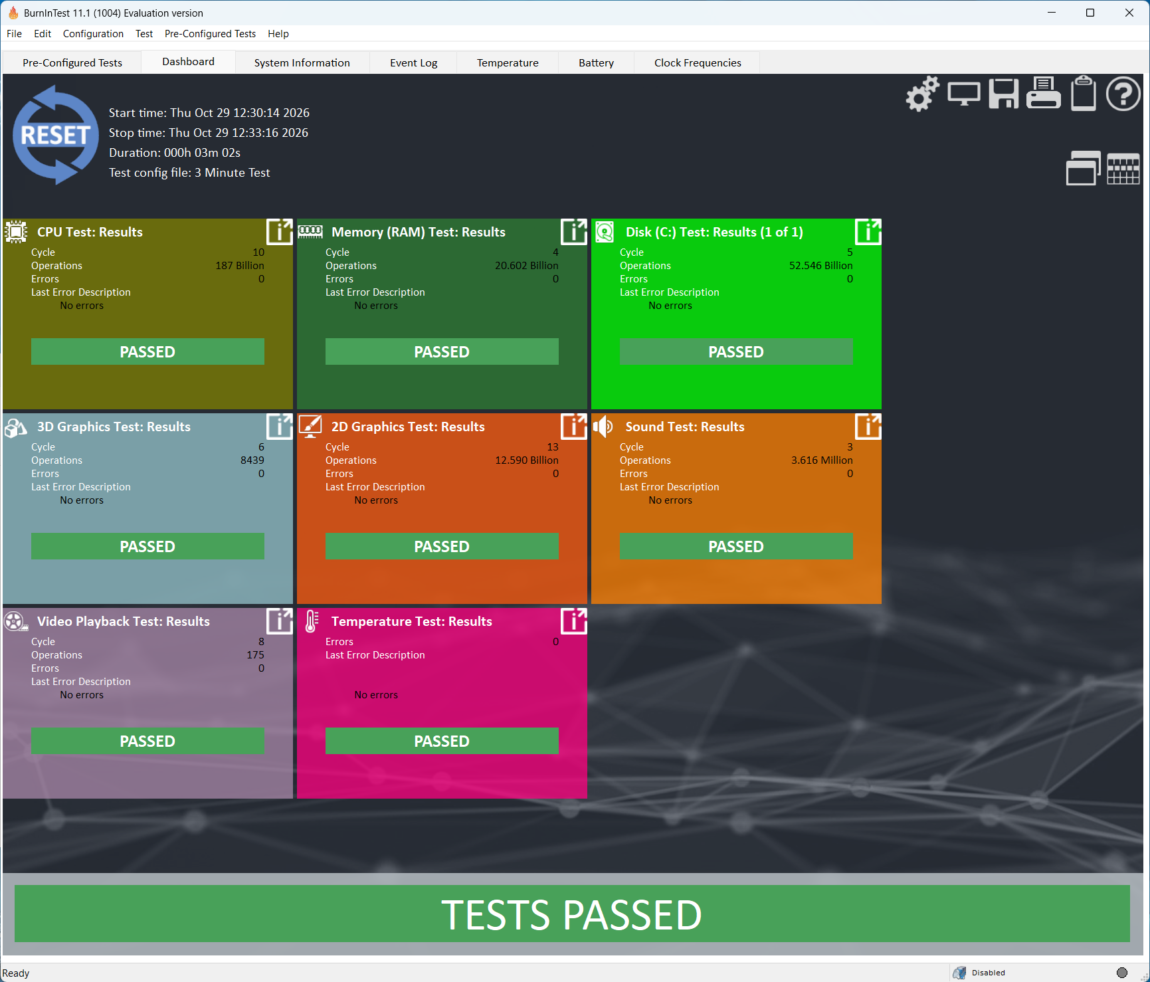
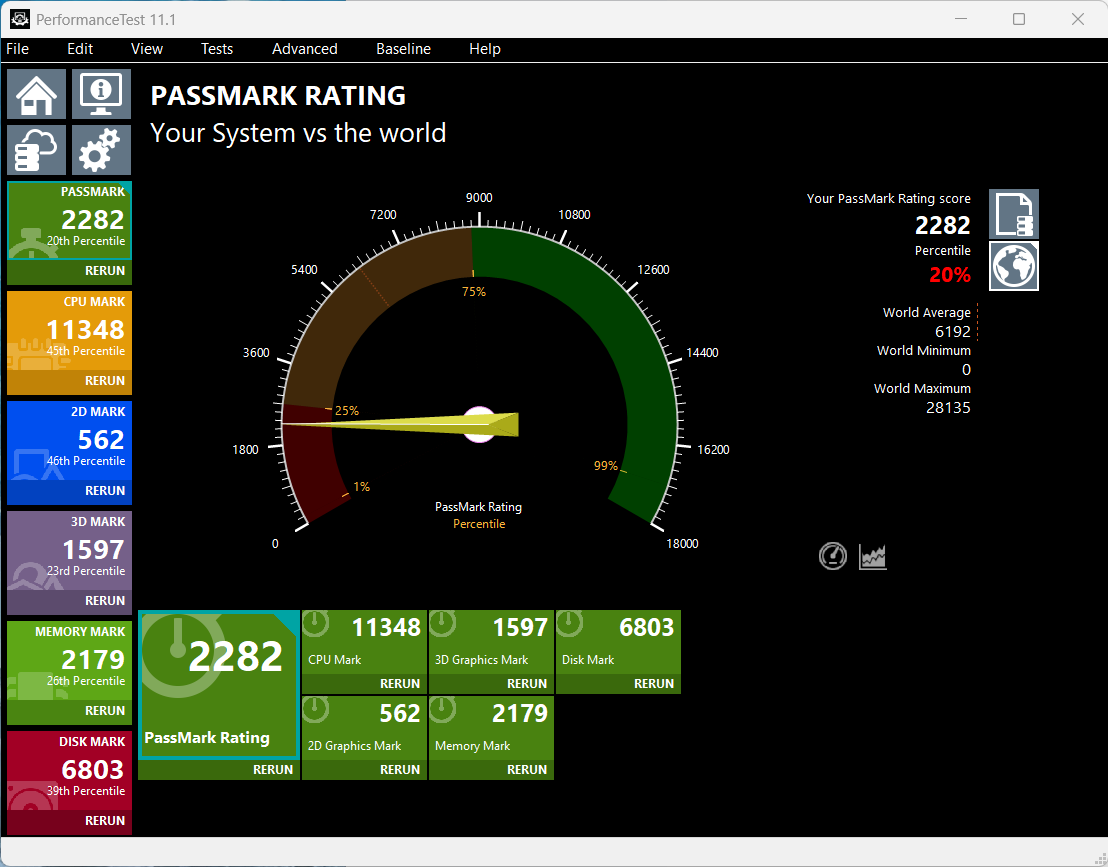
Let's start with PassMark PerformanceTest 11.1. Ninkear MBOX18 scored 2282.5 points, and the CPU Mark score was 11,349 points. These numbers quite clearly show that the mini-computer is focused on everyday tasks, and not on high-performance work. BurnInTest also successfully completed all three-minute tests and did not record any errors. True, such a duration is not enough to assess long-term stability, so I would consider this result only as a short performance check.
In AIDA64 tests, the RAM speed reached approximately 36-41 GB/s, depending on the operation performed. These are not bad results, especially considering that this computer is designed for fairly light tasks. 12 GB of RAM will definitely be enough for browsing, working with documents and common applications, but when performing more complex tasks, the limits of processor performance may be felt sooner than the lack of RAM. Of course, a lot will depend on the specific task and the programs running simultaneously.
The SSD's read speed, tested with CrystalDiskMark, reached almost 1770 MB/s, and sequential write - about 279 MB/s. Random read and write results are quite modest, especially when working with small files and with a small number of requests. During testing, the disk was 81% full, so this may have affected the results. For everyday tasks, such a speed will be enough, but when frequently transferring large files, the slower write speed may become a noticeable drawback.
Other observations
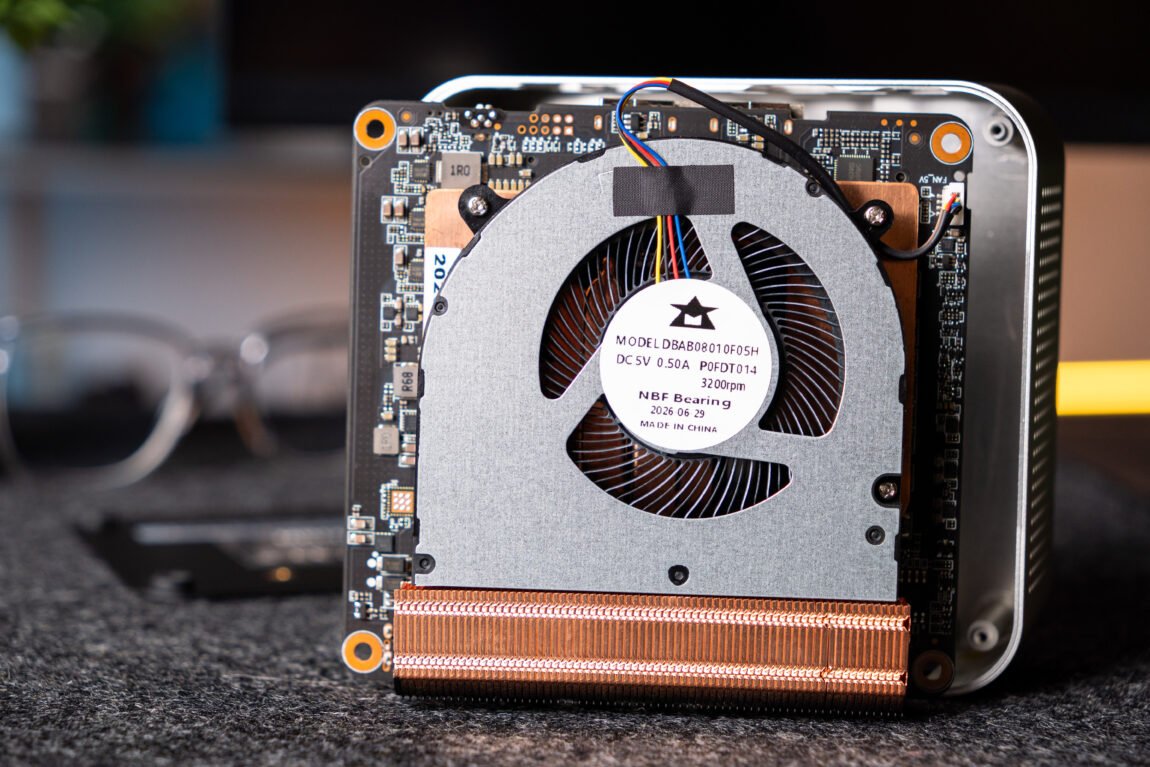
When I first turned on the Ninkear MBOX18, the cooling system worked quite erratically - the fan would slow down, then start spinning much louder. However, after Windows updates, this problem almost disappeared. During normal operation, the computer is practically inaudible, and the fan's roar can be heard only in complete silence, especially if the device is standing directly on the table. When you attach it behind the monitor or place it under the table, the noise is almost non-existent.
In everyday use, I missed more USB-C ports. Considering how many modern accessories use this connector, one USB-C port won't always be enough. Of course, a lot depends on what devices you plan to connect, but for me, this would be one of the practical drawbacks of this mini PC.
Verdict
The Ninkear MBOX18 left a double impression. It is an extremely compact and quiet mini-computer, perfect for everyday tasks, surfing the Internet, working with documents or watching videos. The aluminum case looks solid, and the ability to mount the computer behind the monitor allows you to save even more space on the desk. However, when you start working with more demanding programs, the processor power starts to run out, and the 12 GB of soldered RAM will not be expandable in the future. I would also like more USB-C ports.
The biggest problem is the price. Similar in price NiPoGi E3B offers a much more powerful Ryzen 7 7730U processor, more RAM and more capable integrated graphics. Although the latter platform is older, it seems to be a more attractive option in terms of performance and price. However, if you do not plan to work with demanding programs and are looking for a compact computer for everyday tasks, the MBOX18 may be a good choice. This is the third Ninkear product I have tested and so far the manufacturer has not disappointed - both the build quality and the overall user experience left a good impression, so I trust the brand itself. The main thing is to assess your needs and not expect more from this mini computer than it can offer.